
Q.I am using an AZ Series EtherNet/IP compatible driver. I would like to execute a maintenance command. How do I do this?
Set the parameter ID of the maintenance command you would like to execute to the write parameter ID, and set the WR-REQ bit of the write request to ON.
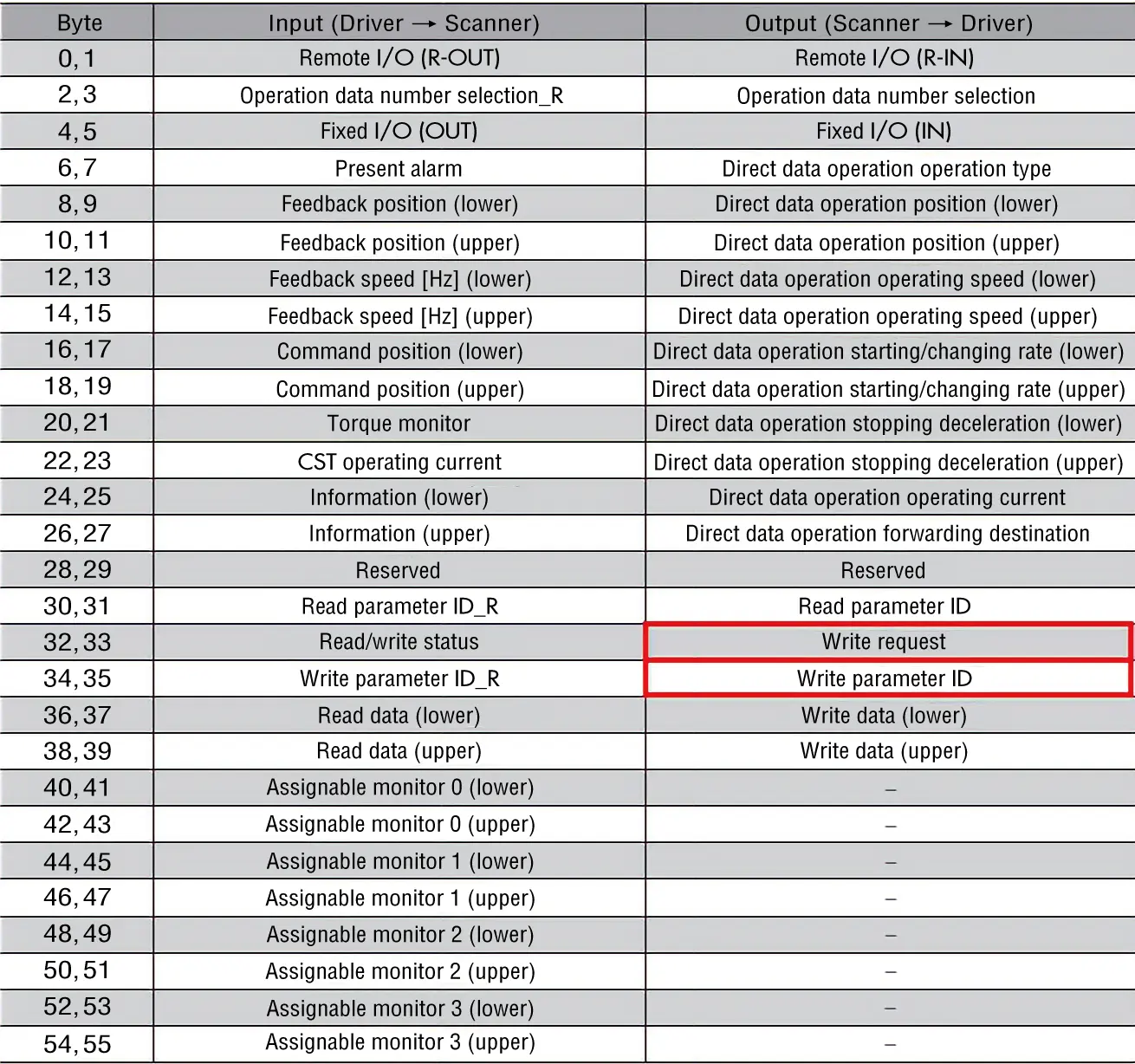
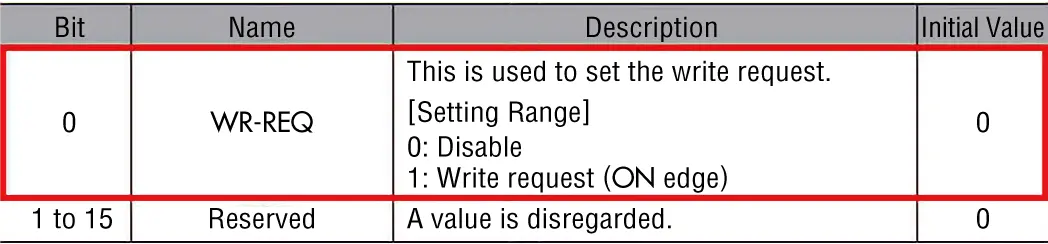
- *Confirm the AZ Series EtherNet/IP TM-compatible driver user manual for the parameter ID of the maintenance command.
This section describes the setting procedure using "write batch NV memory" as an example.
- Confirm WR-END is turned OFF
- Write Batch NV Memory Parameter ID: Set 201 as the write parameter ID (For HEX input, set C9h)
- Turn ON WR-REQ (The 0th bit of the write request)
- Confirm that the maintenance command is executed and WR-ERR is OFF and WR-END is ON
- Turn OFF WR-REQ and clear the write parameter ID
[Note]
-
For details on maintenance commands, refer to the AZ Series Function Edition.
- *When viewing the AZ Series Function Edition, refer to the name of the parameter instead of the parameter ID.
- Maintenance commands include non-volatile memory batch processing or P-PRESET, there are processes that manipulate memory.
Be careful to avoid unnecessary continuous execution. - Some of the maintenance commands may have different procedures from the above. Refer to the user manual for details.
Related Information: AZ Series EtherNet/IP TM compatible driver FAQ
Product Category: αSTEP, electric actuators
Model and Series: AZ Series, electric actuators equipped with AZ Series
Description: How to Use/Setting Method
FAQ No.: 565
Email al supporto tecnico
Dopo aver aperto l'e-mail, controlleremo il contenuto e vi contatteremo. A seconda della natura della vostra richiesta, potremmo contattarvi telefonicamente.