
Q.I am using AZ Series EtherNet/IP compatible driver. I would like to change the optional monitor content. How do I do this?
Change the setting value of "Assignable Monitor 0~3" using the support software MEXE02 or EtherNet/IP communication.
As an example, the procedure for changing the monitor contents of "Assignable Monitor 0" to "Main Power Supply Time" using the support software MEXE02 is introduced.
-
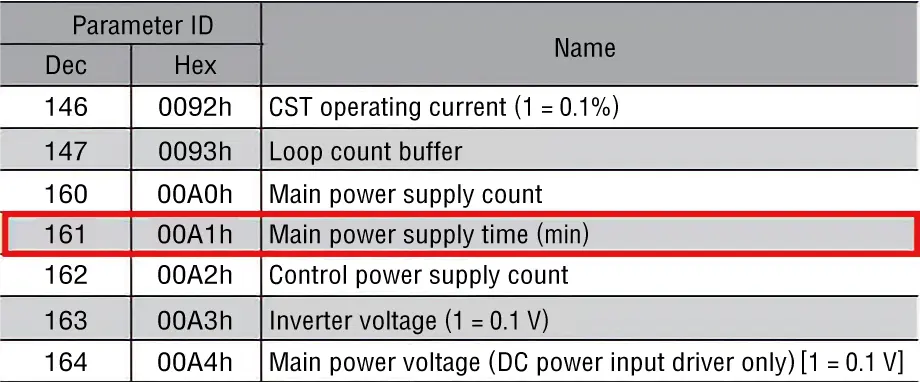
Confirm the parameter ID of the content you would like to monitor from the User Manual
.
-
Set the parameter ID of the content you would like to monitor to the "Assignable Monitor 0" parameter in the "Communication and I/F Functions" of MEXE02.
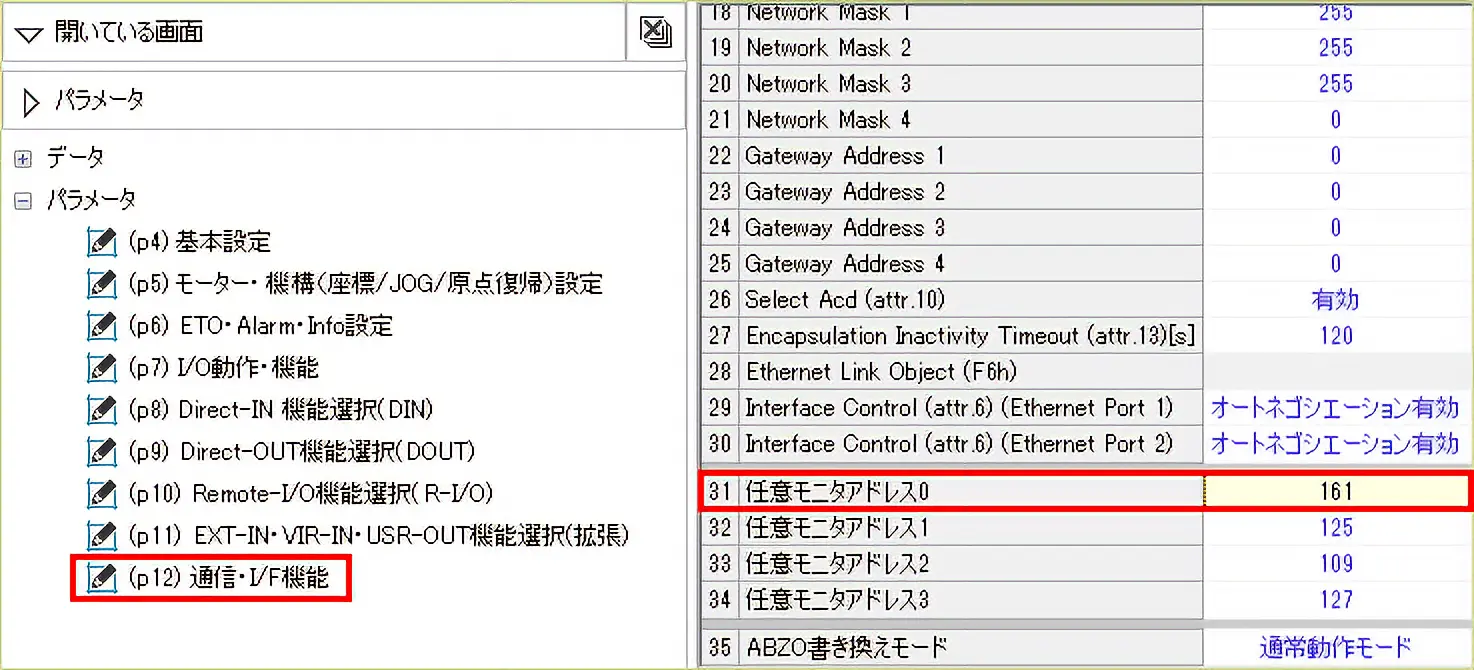
-
Execute the "Write Data" command.
If you are configuring the settings via EtherNet/IP communication, use the following addresses for the settings.
| Parameter ID | Name | |
|---|---|---|
| Dec | Hex | |
| 25600 | 6400h | Optional monitor address 0 |
| 25601 | 6401h | Assignable monitor 1 |
| 25602 | 6402h | Assignable monitor 2 |
| 25603 | 6403h | Assignable monitor 3 |
Related Information: AZ Series EtherNet/IP TM Compatible Driver FAQ
Product Category: αSTEP, electric actuators
Model and Series: AZ Series, electric actuator AZ Series equipped
Description: How to Use/Setting Method
FAQ No.: 560
Related FAQs
Email al supporto tecnico
Dopo aver aperto l'e-mail, controlleremo il contenuto e vi contatteremo. A seconda della natura della vostra richiesta, potremmo contattarvi telefonicamente.