
Q.How do I connect the network converter to the driver? (Applicable Products: NETC01-CC, NETC02-CC, NETC01-M2, NETC01-M3, NETC01-ECT)
Use the RS-485 communication cable included with the network converter, or a commercially available LAN cable to connect.
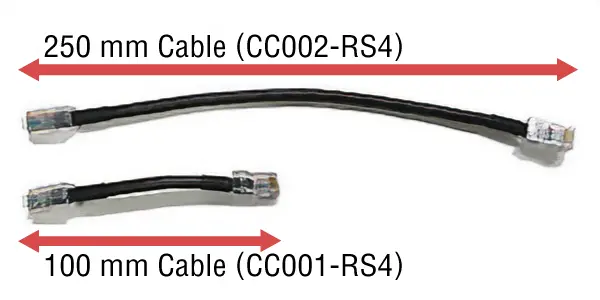
One cable of 250 mm and another of 100 mm for RS-485 communication cable are attached.
If this length is not sufficient, please consider using a commercially available LAN cable.
-
CC002-RS4 usage example
Used for AC input type drivers and other devices that cannot be installed in close proximity.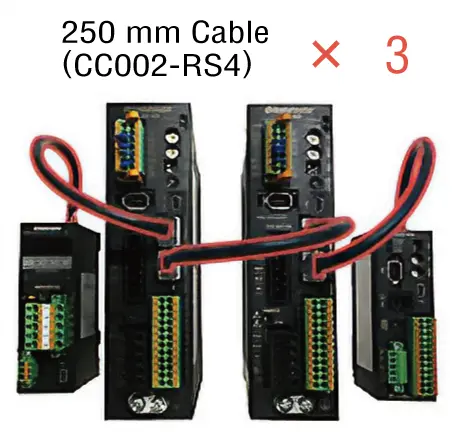
From left to right, the image shows NETC02-CC, AZD-AD, AZD-AD, and AZD-KD.
-
CC001-RS4 usage example
Used for DC input type drivers and other devices that can be installed in close proximity.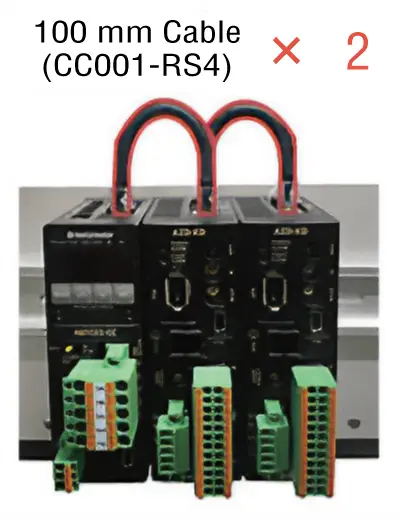
From left to right, the image shows NETC02-CC, AZD-KD, and AZD-KD.
- *The second and subsequent cables in each usage example are accessary cables sold separately.
If you are using a commercial LAN cable, please refer to the following FAQ.
Q442. Can I use a commercial LAN cable to connect the network converter to the driver?
Product Category: Controller and Network Compatible Products
Model and Series: General
Description: Wiring Methods, Installation and Mounting Methods, Included Items and Accessories
FAQ No.: 441
Email al supporto tecnico
Dopo aver aperto l'e-mail, controlleremo il contenuto e vi contatteremo. A seconda della natura della vostra richiesta, potremmo contattarvi telefonicamente.